What photo restoration can fix, and what it can't
TL;DR
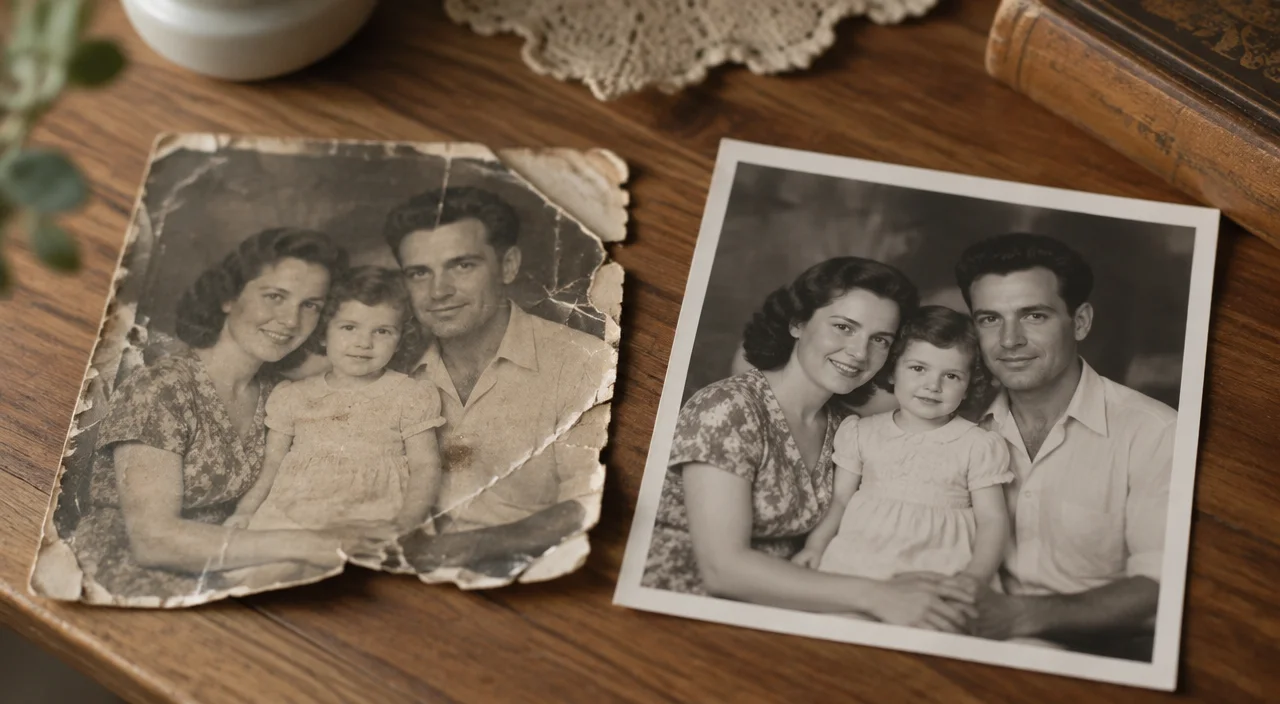
Photo restoration today can repair a lot: faded colours, scratches, small tears, creases, stains and dust. It can sharpen soft faces and bring back contrast. What it can't do is recover detail that was never in the photo, or that is completely gone, such as a face that was torn away or a print that is almost white.
Photo restoration today can repair a lot: faded colours, scratches, small tears, creases, stains and dust. It can sharpen soft faces and bring back contrast. What it can't do is recover detail that was never in the photo, or that is completely gone, such as a face that was torn away or a print that is almost white.
Knowing the difference helps you choose which photos to restore and what to expect.
What restoration fixes well
Fading. Old prints often lose contrast and go yellow, pink or brown. Restoration brings back the dark and light areas so the picture looks clear again.
Scratches and dust. Thin lines and spots across a print are usually easy to remove.
Creases and small tears. A fold across the middle or a torn corner can usually be repaired, as long as the important parts of the picture are still there.
Stains. Water marks, tape marks and spots from old albums can often be cleaned up.
Soft focus. Slightly blurry faces can be made clearer, which is often the biggest difference people notice.
What restoration can't do
Bring back missing parts exactly. If half a face is torn off, a restoration can fill the gap, but the result is a guess, not the real person. For important photos, it's worth knowing this before you share the result.
Rescue a nearly blank print. If a photo has faded so far that almost nothing is left, there may not be enough detail to work with.
Fix a bad copy. Glare, blur and shadows in your phone copy end up in the restored version too. A good copy makes a big difference. Our guide on scanning old photos with your phone shows how.
Know the real colours. Adding colour to a black-and-white photo is always a guess. Our post on colourizing family photos explains why.
Will the faces change?
This is the most common worry, and it's a fair one. Some tools "improve" faces so much that grandma looks like a stranger. A good restoration repairs damage and sharpens detail without changing who the person is. Always compare the restored photo with the original before you print or share it.
Which photos to restore first
Start with the photos that matter most and are in the worst condition: the only picture of a great-grandparent, a wedding photo, a portrait for a memorial. Then work through the rest as time allows.
Keep the original
A restored file is a copy. Keep the original print safely stored, as described in our guide on storing old family photos.
You can try it with Vibitely's Family Album: take a phone photo of a print, and the restored version is ready in about 30 seconds, with the faces kept the same. The first restoration is free.