How to digitize a whole family photo album in an afternoon
TL;DR
You can copy a whole family album in an afternoon with a phone, a table near a window and a simple routine: set up once, photograph each page or print the same way, and only rename files at the end. The trick is to not stop and fiddle with each photo. Speed comes from doing the same thing every time.
You can copy a whole family album in an afternoon with a phone, a table near a window and a simple routine: set up once, photograph each page or print the same way, and only rename files at the end. The trick is to not stop and fiddle with each photo. Speed comes from doing the same thing every time.
What you need
- your phone
- a table near a window, on a day with soft light
- a plain dark cloth or a sheet of black paper as a background
- a soft brush or a clean, dry cloth for dust
- a notebook for names and dates
Optional: a stack of books or a phone stand to hold the phone steady.
Set up once
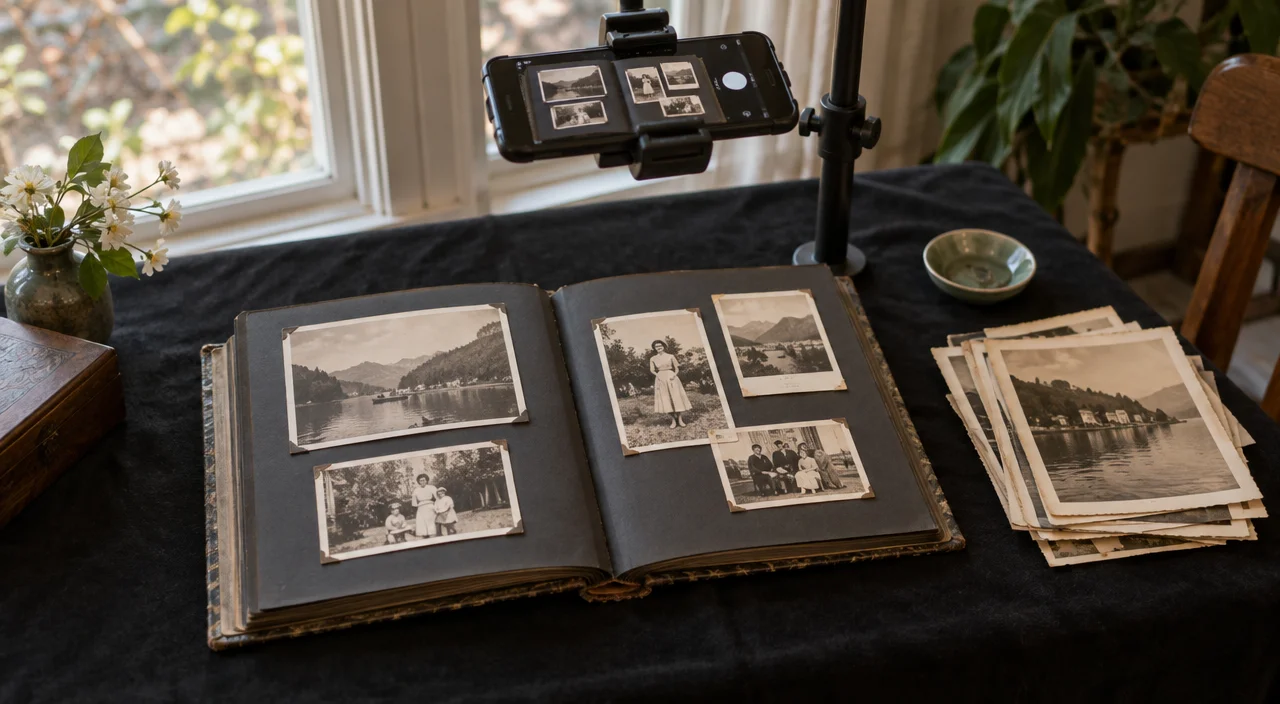
Put the album or prints on the dark background, near the window but out of direct sun. Turn off the flash and the room lights, so the light comes from one side only. Check one test shot for glare. If you see shine, turn the album slightly until it's gone.
If you have a phone stand or can build one from books, set the phone flat above the table, pointing straight down. Then you only need to swap the photos underneath.
Decide: whole pages or single prints?
Whole pages are fastest and keep the album's order and any captions. They're good for a first, quick copy of everything.
Single prints give better quality for restoring and printing. Take them out only if they come away easily. Don't force photos from old sticky albums; photograph them in place instead.
A good plan: copy every page first, then go back and copy the best or most important prints one by one.
The routine
For each page or print:
- Brush off the dust gently.
- Take two shots.
- Turn the print over and photograph the back if anything is written there.
- Move on.
Don't rename files or check each picture as you go. That's what slows people down.
Keep notes as you go
Use the notebook for anything you learn: "page 12, wedding, 1962, Kaunas". If a relative is with you, this is the best time to ask who's who. Our guide on identifying people in old photos has more tips.
At the end
Go through the shots, delete the blurry ones and rename the best with the date, place and names. Put them in folders by album or by decade.
Then make two copies of the folder, for example one on a computer and one in online storage. A copy that lives in only one place isn't safe yet.
Next steps
Pick the most faded and damaged photos and restore them. Put the originals back carefully, as described in our guide on storing old family photos.
On Vibitely you can restore several photos at once and keep them together in a family album you can share with relatives when you're ready.